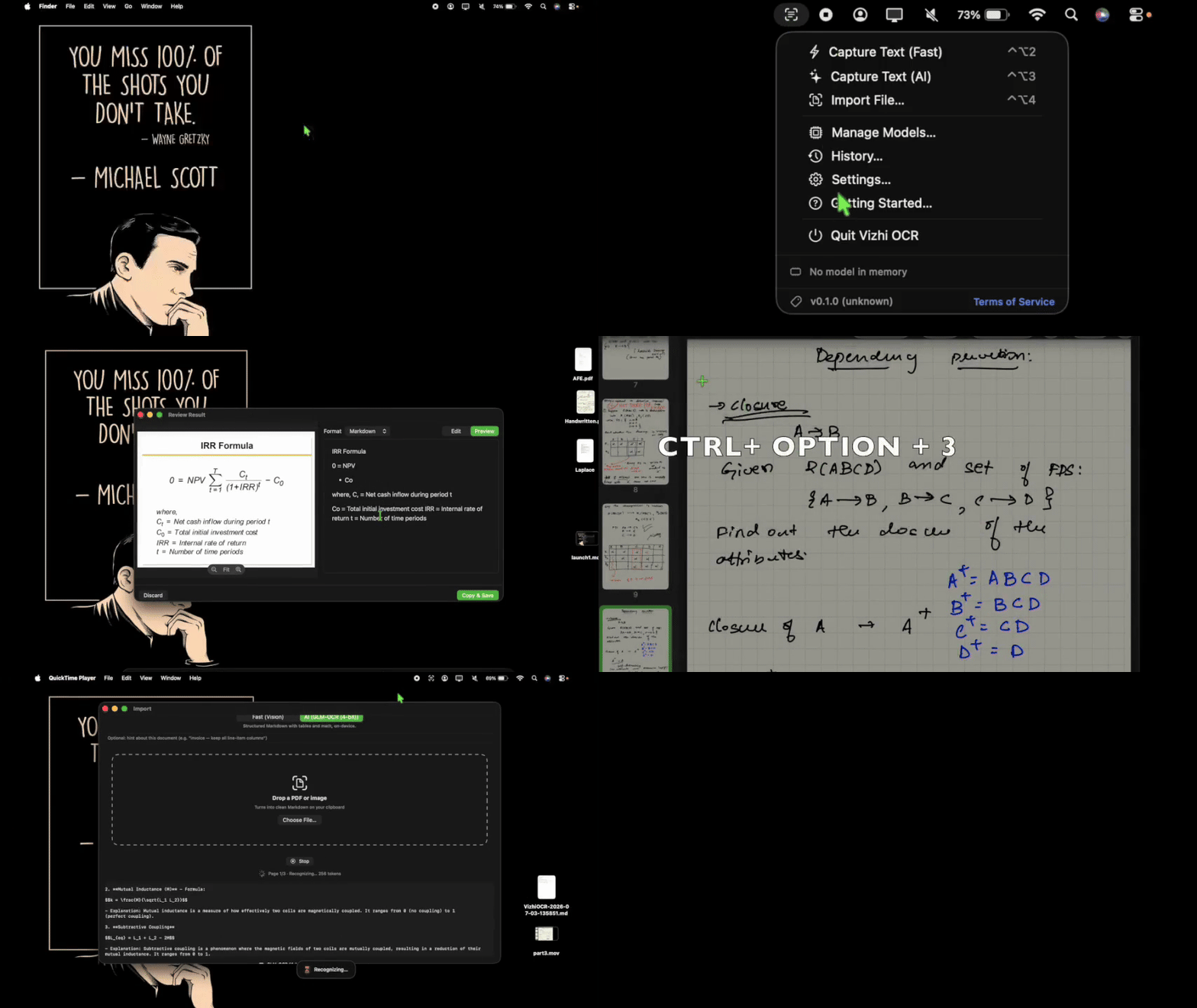
Select any part of your screen or drop in files to copy structured text and tables.
VizhiOCR lives in your MacOS menu bar. Press a shortcut, draw a box over any part of your screen, and get complex text, messy handwriting, and mathematical equations back as clean markdown or tables in your clipboard (using SOTA AI models). It runs completely offline on your Mac, so your screenshots never leave your machine. And yes! you can also import pdf files/images from your computer and preview/save the conversion to a markdown file
Select any part of your screen or drop in files to copy structured text and tables.
Get the text you want without complex workflows or subscription plans.
Use Apple's built-in tool for fast grabs, or switch to local AI to copy handwriting and tables accurately.
Copy tables straight as markdown grids and math formulas as LaTeX instead of losing all layout formatting.
Works without an internet connection. There is no tracking, no account signups, and no data collection.
Look at the extracted text side-by-side with your original screenshot to correct any errors before pasting.
Drag and drop images or PDFs directly onto the app window to grab text page-by-page without sharing screen permission.
Set your own custom keyboard shortcuts to instantly start captures from any application on your Mac.
Get text and tables from your screen in three easy steps.
Press your shortcut key and select a region on your screen, or drop a PDF document into the app.
The app reads the image directly on your computer's chip using local AI or the built-in system scanner.
Check the text next to the image and make quick edits if you want
Copy the final result to clipboard and paste it wherever needed OR Save the structured output as markdown
Download the app or compile it from the source code.
Kindly raise an issue request in the GitHub repository.